
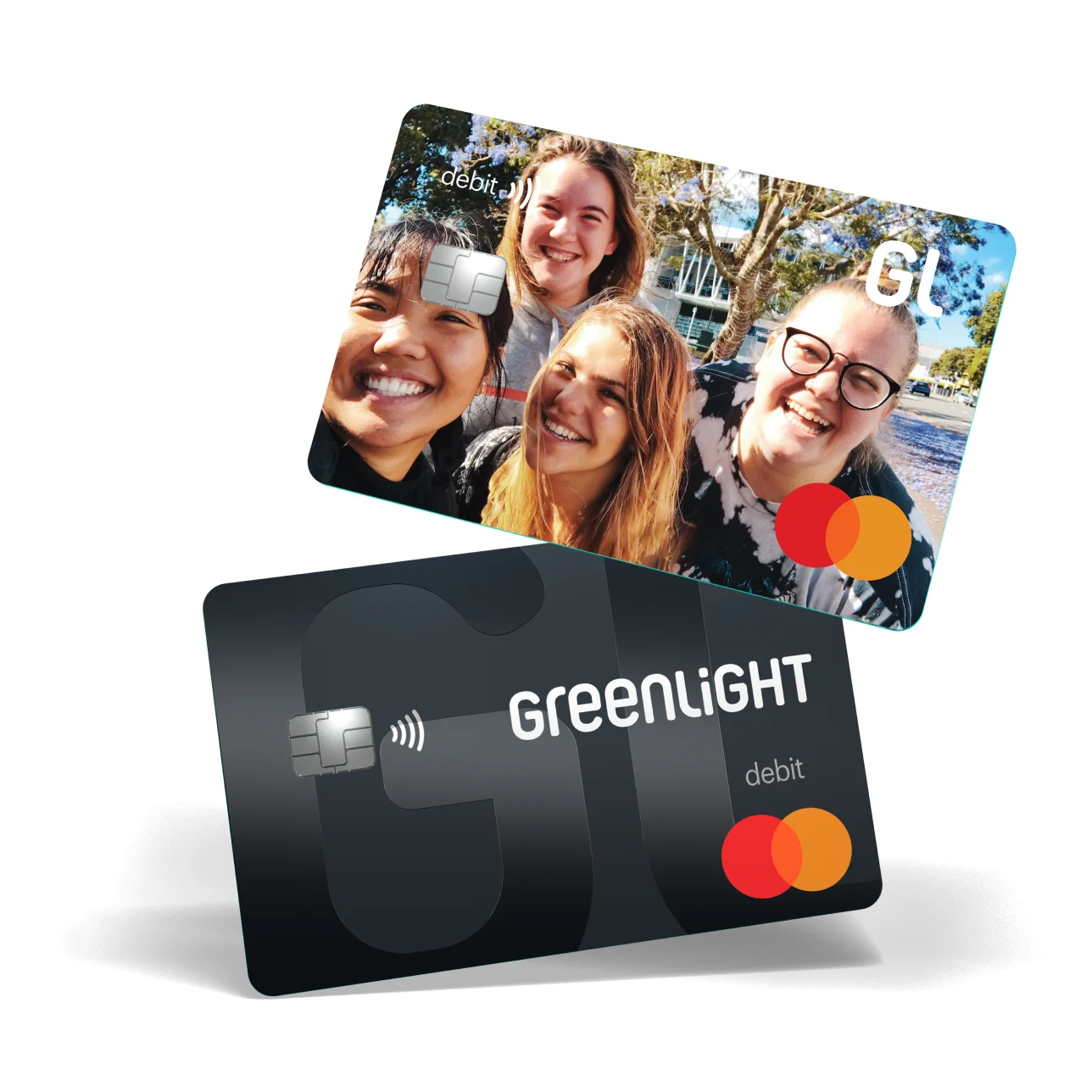
Greenlight Debit Card Review for Parents
You want your kid to learn money skills before a real bank account, a first job, or a dorm-room budget forces the issue. The Greenlight debit card tries to make that lesson easier by giving kids a prepaid debit card while parents keep the controls. That matters now because tap-to-pay habits start early, and cash is no longer the main training wheel for family finance.
CNBC Select reviewed Greenlight as a debit card and money app for families, noting its allowance tools, chore features, spending controls, and paid plans. I have covered consumer finance products long enough to be wary of apps that turn parenting into a subscription. Still, Greenlight has a clear use case. If you want structure, guardrails, and fewer awkward money talks at checkout, it may earn its keep.
What Stands Out
- Best fit: Parents who want spending controls, allowance automation, and visibility into kids’ purchases.
- Main cost: Greenlight charges a monthly family subscription, with plan pricing that varies by feature level.
- Big advantage: Parents can set store-level controls, send instant transfers, and assign chores inside one app.
- Watch closely: Higher-tier perks, investing features, and identity protection may be more than some families need.
How the Greenlight Debit Card Works
The Greenlight debit card is a debit card for kids and teens, paired with a parent-controlled app. Parents fund the account, decide where money can be spent, and track activity from their own dashboard.
Kids get their own app view too. They can see balances, savings goals, chores, allowance payments, and approved spending categories, which turns a vague money lesson into something concrete.
Greenlight is strongest when you treat it as a teaching tool, not as a tiny checking account with cute branding.
The card runs on the Mastercard network, according to Greenlight’s product materials, and the CNBC Select review frames it as a prepaid debit option built for families. That distinction matters. Your child is spending money you load, not borrowing money or building a credit history.
Greenlight Debit Card Fees and Plans
Greenlight is not free. CNBC Select notes that the service uses monthly subscription plans, with more features available as you move up the pricing ladder.
The basic plan covers the core family money tools. Higher plans may add features such as investing for kids, higher savings rewards, priority support, identity theft protection, and family safety tools, depending on the current offer.
Before you pay, check what you will actually use
- Start with allowance: If your main goal is recurring allowance and spending limits, the entry plan may be enough.
- Be skeptical of extras: Investing and identity tools can sound useful, but they only help if your family will use them.
- Compare against your bank: Some banks and credit unions offer teen accounts with no monthly fee.
- Revisit after 60 days: If your child ignores the app, cancel or downgrade before the subscription becomes background noise.
Honestly, this is where many family finance apps get slippery. A $5 to $15 monthly fee can feel small, but that is $60 to $180 a year for a lesson you may be able to teach through a regular teen checking account.
Where the Greenlight Debit Card Helps Parents Most
Greenlight’s best feature is control without hovering over every purchase. You can set spending limits, approve certain stores, block others, and get notifications after transactions.
That is useful if your child is starting to spend independently at school, sports practice, the mall, or online. Think of it like training wheels on a bike. The point is not to keep them on forever, but to prevent the early wipeouts that make everyone panic.
The app can also automate allowance and connect payments to chores. Parents can assign tasks, mark them complete, and pay on a schedule, which cuts down on the weekly argument over who emptied the dishwasher.
Small controls beat long lectures.
Greenlight Debit Card for Teaching Saving
The Greenlight debit card can help kids see the split between spending and saving. Kids can create savings goals, watch progress, and learn that money sitting in one pile disappears faster than money assigned to a purpose.
That visual feedback matters. A child who sees “new bike,” “birthday gifts,” and “spending money” as separate buckets is learning the basics of budgeting without a spreadsheet.
Some Greenlight plans include savings rewards paid by Greenlight, not by a traditional bank account in the usual way. Read the current plan terms before you treat that reward as a reason to subscribe, because rates and conditions can change.
Greenlight Investing: Useful Lesson or Upsell?
Greenlight offers investing features on certain paid plans, and CNBC Select includes that as part of the product’s appeal. Parents can approve trades, and kids can learn how stocks and ETFs work inside a controlled setup.
I like the idea, with limits. A teenager can learn plenty from buying a broad-market ETF with parent approval, but a child does not need a trading habit before learning how to save for lunch, gifts, and emergencies.
Ask yourself a blunt question. Is your child ready to learn investing, or are you paying for a feature because it sounds responsible?
What Greenlight Does Not Solve
Greenlight can show your child where money goes, but it cannot create judgment on its own. You still need to talk about tradeoffs, impulse buys, subscriptions, tipping screens, online game purchases, and peer pressure.
It also adds another app to your family’s financial life. If you already manage bank apps, school payment apps, sports fees, and digital wallets, Greenlight may feel like one more kitchen gadget that works well but takes up counter space.
- It does not build credit: This is a debit product, not a starter credit card.
- It does not replace parent coaching: Controls help, but your child still needs context.
- It may cost more than a teen bank account: The monthly fee is the tradeoff for the family-specific tools.
Who Should Get the Greenlight Debit Card?
Greenlight makes sense for families that want a structured money system and are willing to pay for convenience. It is especially useful for parents of tweens and younger teens who are starting to make independent purchases but still need firm boundaries.
It is less compelling for older teens who can qualify for a no-fee checking account with a debit card. At that stage, a real bank account may teach more adult habits, including direct deposit, ATM rules, and account maintenance.
A simple decision test
Choose Greenlight if you want chore payments, allowance automation, and purchase alerts in one family app. Skip it if your child only needs a place to park birthday money and make the occasional supervised purchase.
The Smarter Way to Use Greenlight
If you sign up, set rules before the first transfer. Decide what you pay for, what your child pays for, and what requires permission.
Try this setup for the first month:
- Load a small weekly allowance instead of a large balance.
- Create one savings goal your child actually cares about.
- Turn on purchase notifications, but avoid commenting on every snack.
- Review spending together once a week for 10 minutes.
- Ask your child what they would change next week.
That last step is the real lesson. Money confidence grows when kids practice making choices, seeing results, and adjusting without shame.
The Bottom Line for Parents
The Greenlight debit card is a solid family finance tool if you will use its controls, allowance features, and savings goals. It is not the cheapest way to give a child a debit card, and the higher-tier plans deserve scrutiny.
My take: start with the lowest plan that fits your needs, treat the first two months as a trial, and make your child part of the review. If the app starts better money conversations at home, it is doing its job. If it only becomes another paid icon on your phone, your bank may already have the better answer.